Barcodes
designer-core renders 40+ barcode formats via bwip-js. Every format available to BarcodeObject is listed in the Barcode Formats reference.
This page covers the public API: how to add barcodes to a document, how to use QRContent helpers for common payloads, how to validate data before render, and how barcode colour interacts with the multi-plane pipeline.
Adding a barcode
Barcodes are BarcodeObjects — one of the five object types in the document model. The engine that rasterises them (BarcodeEngine) is an internal implementation detail; you don't call it directly.
import { LabelDesigner } from '@burnmark-io/designer-core';

const designer = new LabelDesigner({
  canvas: { widthDots: 696, heightDots: 300, dpi: 300 },
});

designer.add({
  type: 'barcode',
  x: 20,
  y: 20,
  width: 400,
  height: 120,
  rotation: 0,
  opacity: 1,
  locked: false,
  visible: true,
  color: '#000000',
  format: 'code128',
  data: 'SHIP-2026-000042',
  options: {},
});
The full field list:
| Field | Type | Notes |
|---|---|---|
format | BarcodeFormat | See Barcode Formats |
data | string | Payload — supports |
options | BarcodeOptions | Format-specific knobs; passed through to bwip-js |
BarcodeOptions is intentionally narrow — the fields that most label designers need — but anything not covered is still reachable by editing the .label JSON after serialisation.
interface BarcodeOptions {
  scale?: number;
  rotate?: 'N' | 'R' | 'L' | 'I';
  padding?: number;
  includetext?: boolean;
  textsize?: number;
  textyoffset?: number;
  eclevel?: 'L' | 'M' | 'Q' | 'H'; // QR, Aztec, GS1 QR
  version?: number; // QR, Data Matrix
  rows?: number; // PDF417, Data Matrix
  columns?: number; // PDF417, Data Matrix
}
One example per category
1D — Code 128 shipping barcode
designer.add({
  type: 'barcode',
  x: 20,
  y: 20,
  width: 400,
  height: 80,
  rotation: 0,
  opacity: 1,
  locked: false,
  visible: true,
  color: '#000000',
  format: 'code128',
  data: 'SHIP-{{order_id}}',
  options: {
    includetext: true, // print the human-readable text below the bars
    textsize: 12,
  },
});
Code 128 is the workhorse for shipping labels — variable length, encodes all ASCII, dense bars. Use code128a/b/c to force a specific subset when you know the payload structure; plain 'code128' lets bwip-js choose the optimal subset.
2D — QR code linking to a URL
designer.add({
  type: 'barcode',
  x: 20,
  y: 20,
  width: 180,
  height: 180,
  rotation: 0,
  opacity: 1,
  locked: false,
  visible: true,
  color: '#000000',
  format: 'qrcode',
  data: 'https://example.com/orders/{{order_id}}',
  options: { eclevel: 'M' },
});
Here's what a QR code produced by the pipeline looks like:
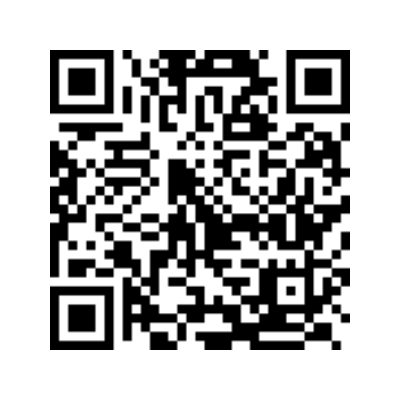
eclevel controls the error-correction capacity: 'L' (7%), 'M' (15%, default), 'Q' (25%), 'H' (30%). Higher tolerances make the code more resilient to smudges and tape folds at the cost of denser bar patterns.
GS1 — GS1-128 supply chain
designer.add({
  type: 'barcode',
  x: 20,
  y: 20,
  width: 500,
  height: 80,
  rotation: 0,
  opacity: 1,
  locked: false,
  visible: true,
  color: '#000000',
  format: 'gs1_128',
  data: '(01)03012345678900(17)260401(10)BATCH42',
  options: { includetext: true },
});
Application identifiers are written in parentheses — bwip-js expands them into the FNC1-separated wire format. (01) = GTIN, (17) = best-before date (YYMMDD), (10) = lot number.
Postal — KIX for Dutch mail
designer.add({
  type: 'barcode',
  x: 20,
  y: 20,
  width: 360,
  height: 40,
  rotation: 0,
  opacity: 1,
  locked: false,
  visible: true,
  color: '#000000',
  format: 'kix',
  data: '3528BJ100',
});
KIX is PostNL's 4-state barcode for delivery sorting — alphanumeric postcode plus house number, no checksum. If your use case is Dutch addressing at scale, rendering KIX alongside the human-readable address knocks a few cents off bulk mailings.
QRContent helpers
QR payloads follow specific conventions depending on what the scanner should do with them. QRContent is a helpers object that produces the correctly-encoded strings:
import { QRContent } from '@burnmark-io/designer-core';QRContent.url(url)
QRContent.url('https://example.com');
// → 'https://example.com'
Plain URLs are their own payload — the helper is a pass-through that exists for symmetry with the other helpers.
QRContent.wifi(ssid, password, security?)
QRContent.wifi('Office-Guest', 'welcome123');
// → 'WIFI:T:WPA;S:Office-Guest;P:welcome123;;'

QRContent.wifi('Lobby', '', 'nopass');
// → 'WIFI:T:nopass;S:Lobby;P:;;'
Security: 'WPA' (default), 'WEP', or 'nopass'. iOS and Android camera apps auto-detect this format and offer a "Join network" prompt.
QRContent.vcard(contact)
QRContent.vcard({
  firstName: 'Piet',
  lastName: 'Paddestoel',
  email: 'piet@example.nl',
  phone: '+31 20 555 0100',
  url: 'https://example.nl',
  address: {
    street: 'Papendorpseweg 100',
    city: 'Utrecht',
    postalCode: '3528 BJ',
    country: 'NL',
  },
});
// → BEGIN:VCARD
//   VERSION:3.0
//   N:Paddestoel;Piet;;;
//   FN:Piet Paddestoel
//   EMAIL:piet@example.nl
//   TEL:+31 20 555 0100
//   URL:https://example.nl
//   ADR:;;Papendorpseweg 100;Utrecht;;3528 BJ;NL
//   END:VCARD
Scanners drop the result straight into the contacts app. All fields except firstName and lastName are optional.
QRContent.geo(lat, lng)
QRContent.geo(52.3676, 4.9041);
// → 'geo:52.3676,4.9041'
Pops a map application on iOS/Android.
Other helpers
QRContent.email(to, subject?, body?);   // mailto:<to>?subject=…&body=…
QRContent.phone(number);                // tel:<number>
QRContent.sms(number, message?);        // sms:<number>?body=…
QRContent.text(text);                   // plain text (identity)
Validation
BarcodeEngine exposes a validate() method that attempts a render and returns a ValidationResult instead of throwing. Useful when you want a fast fail before shipping a batch to the printer.
import { BarcodeEngine } from '@burnmark-io/designer-core';

const engine = new BarcodeEngine();
const result = await engine.validate('ean13', '12345');
// { valid: false, missing: [], unused: [], warnings: [], errors: ['bwip-js: data length…'] }

const result2 = await engine.validate('ean13', '5901234123457');
// { valid: true, missing: [], unused: [], warnings: [] }
Common causes of validation failure:
ean13— exactly 12 or 13 digits; bad check digit is flagged.ean8— exactly 7 or 8 digits.upca/upce— length- and check-digit-sensitive.code39— no lowercase, no special characters outside-. $/+%. Usecode39extto encode arbitrary ASCII via escape sequences.gs1_128— malformed application identifiers or wrong-length data for a fixed-length AI.
The CLI wraps this in burnmark validate — it runs every barcode object against every CSV row and reports per-row failures. See the CLI guide.
Barcode colour and planes
Barcode colour follows the same rules as every other object: the color field is a CSS string, and the flattening step routes it to a printer plane via PrinterCapabilities.cssMatch. See Colour model.
Practically speaking:
- A
#000000barcode on aTWO_COLOR_BLACK_REDprinter prints on the black plane — the wildcard fallback. - A
#ff0000barcode on the same capabilities set prints on the red plane. Rare in practice — scanners expect high-contrast dark bars on a light background, and red-on-white is substantially lower contrast than black-on-white — but supported. - Opacity below
1.0dithers the bars, which will break most scanners. Keep barcodes atopacity: 1unless you know what you're doing.
Minimum-size calculation
BarcodeEngine.minimumSize() is reserved in the API surface for a future helper that returns the smallest bar-unit size for a given barcode at a given DPI. Not yet implemented — today the right approach is to render at your target size with includetext: false, then fall back to a larger size if the resulting bars are thinner than your printer's minimum dot width.
More formats
The full list of supported formats — with categories and typical use cases — is in the Barcode Formats reference. Everything bwip-js supports is reachable; if a format you need isn't listed in the BarcodeFormat type, open an issue.